- Launch the Safari app.
- Navigate to "crik-it.net" and wait for the portal login page to load.
- Tap the Share icon (a right-pointing arrow coming out of a box along the top of the Safari window) to open a drop-down menu.
- Tap Add to Home Screen.
- If you don't see "Add to Home Screen", scroll to the bottom and tap Edit Actions, then tap Add next to the Add to Home Screen action. After that, you'll be able to select it from the Share Sheet.
- Type a name for your site link... something like "Portal" might work. This will be the title that appears beneath its icon on your Home screen.
- Tap Add in the top-right corner of the screen.
If you click the "Remember my username" checkbox on the login page, then every time you open your shortcut, your portal username will be automatically filled in.
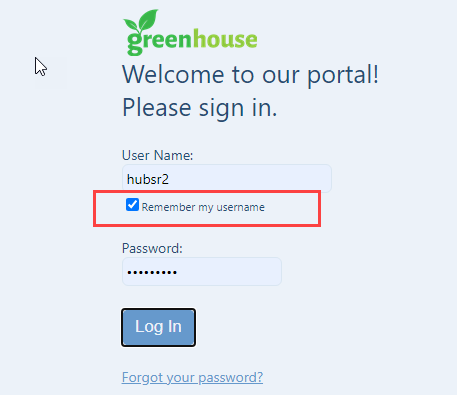
If you tell Safari to save your password, your password will be automatically filled in too! You'll just have to tap the Log In button.