This article is for Customer user types.
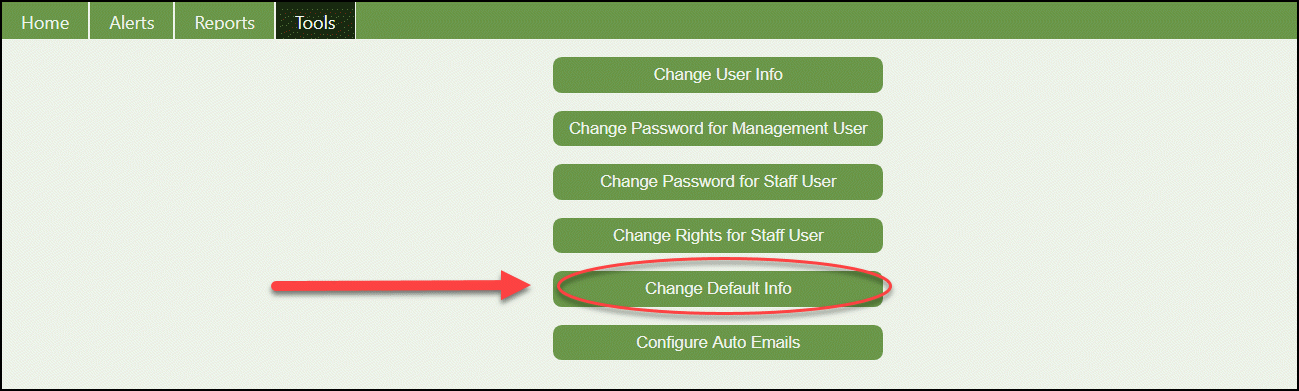
From the portal home page, click on the Tools tab and click on the Change Default Info button:

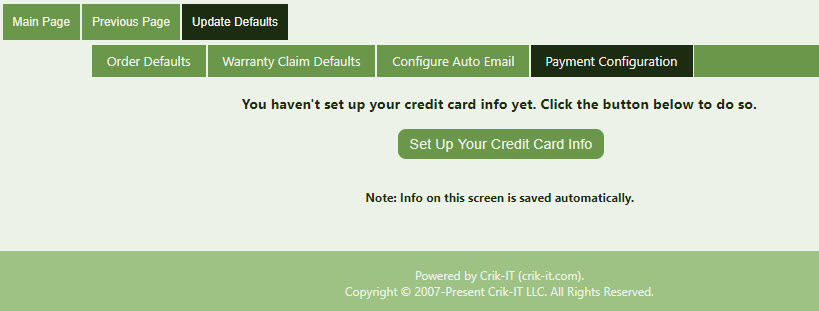
Click the Payment Configuration tab. If you haven't already set up a default credit card, your screen will look like below.
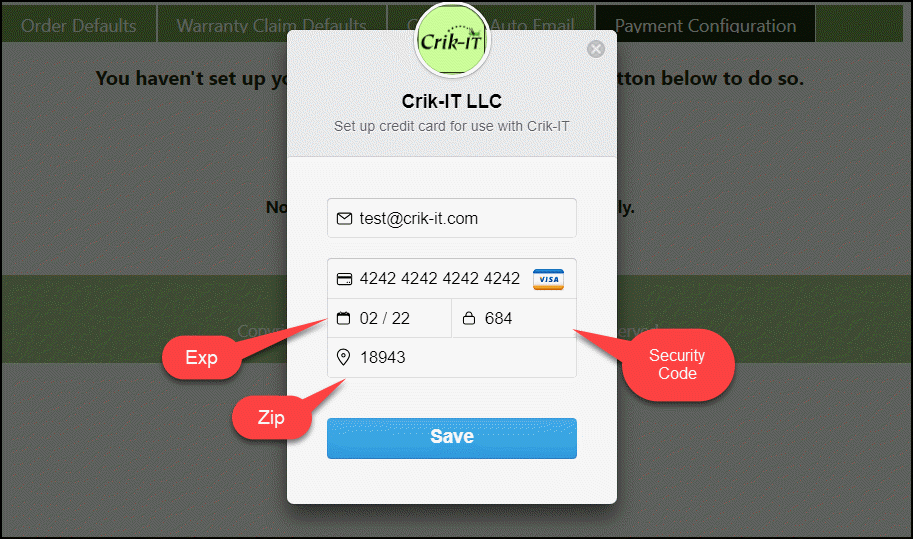
Now click the Set Up Your Credit Card Info button and fill in the credit card form. If all information is correct, click save. Note that the email address you enter here will be sent a receipt when a payment is made via the portal.
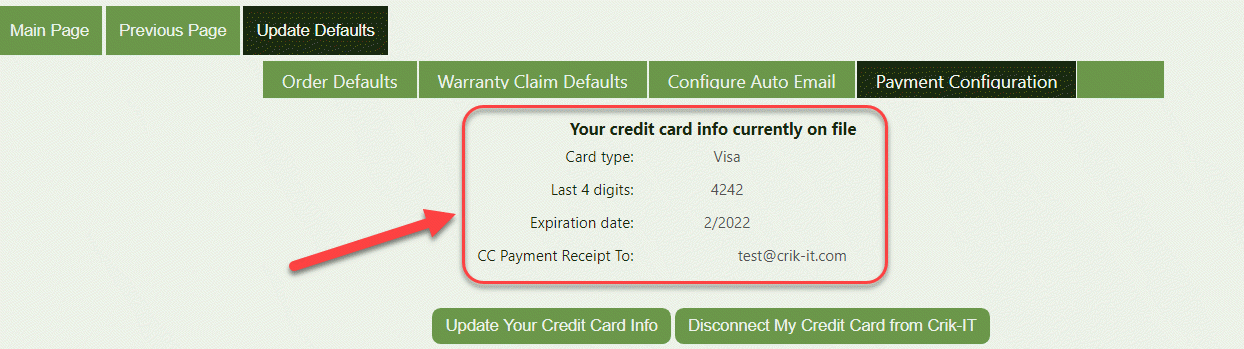
Your card is now set as a default form of payment: