Occasionally, QuickBooks will return an error when the Crik-IT portal tries to send an order to QuickBooks. For example, this can happen if there is an item on the order that has recently been deleted or inactivated in your QuickBooks system.
When QuickBooks rejects an order, your order desk email address(es) will receive an email alerting of this. Here's what the email will look like:
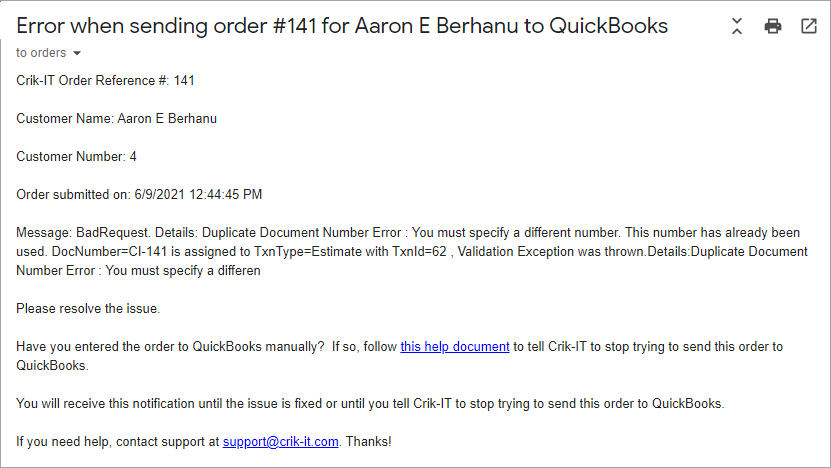
The portal will continue trying to send the order to QuickBooks until either:
- You resolve the issue described in the Message of the email, in which case the order will then be sent successfully to QuickBooks; or
- You tell the Crik-IT portal to stop trying to send the order to QuickBooks.
If you have manually entered the order into QuickBooks, you must tell the portal to stop trying to send the order to QuickBooks. If you don't do this, you will continue to receive the error notification email shown above.
Click here to learn how to tell the portal not to send the order to QuickBooks.