Note: this article is for Rep and In-house users. Are you a Customer user? If so, see this article instead.
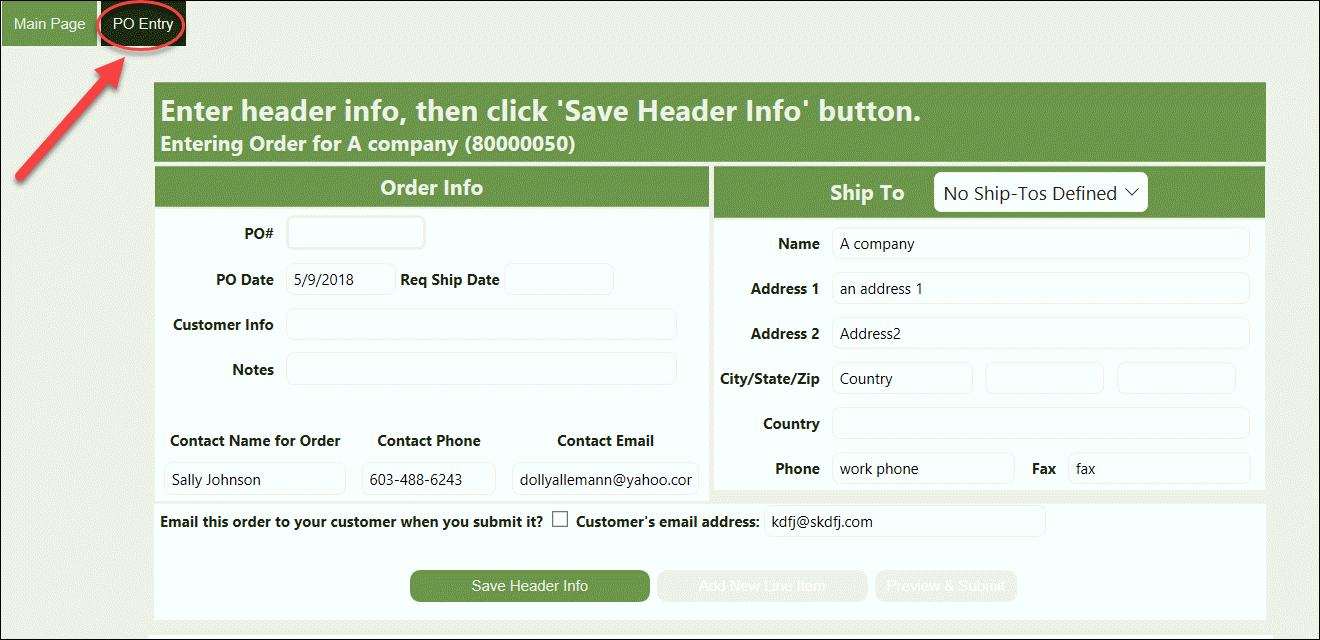
Crik-IT has two different Order Entry methods. We need to determine which method your Crik-IT vendor uses, so we give you the correct instructions. So, first...
From your Customers tab on the Main Page, click on the New Order button for a customer.
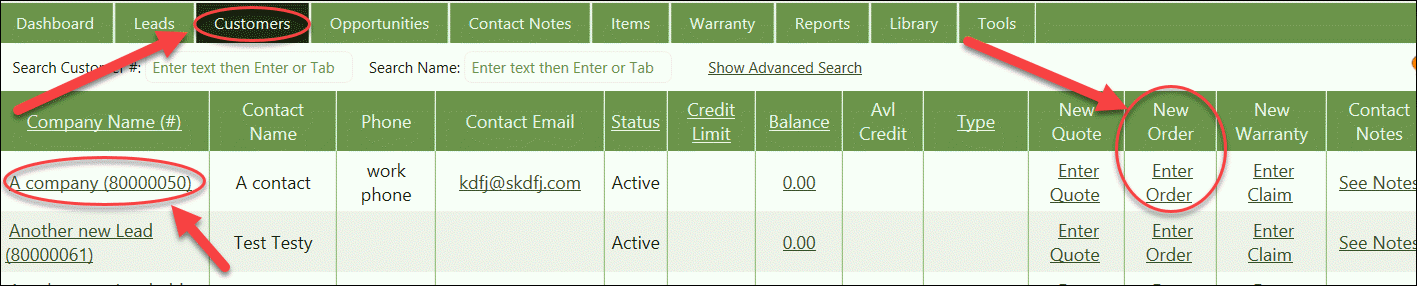
Now this is where things might start to look a little different.
Your screen may look a little different than this, depending on how your vendor has configured Crik-IT.
If this is what your screen looks like, click here.
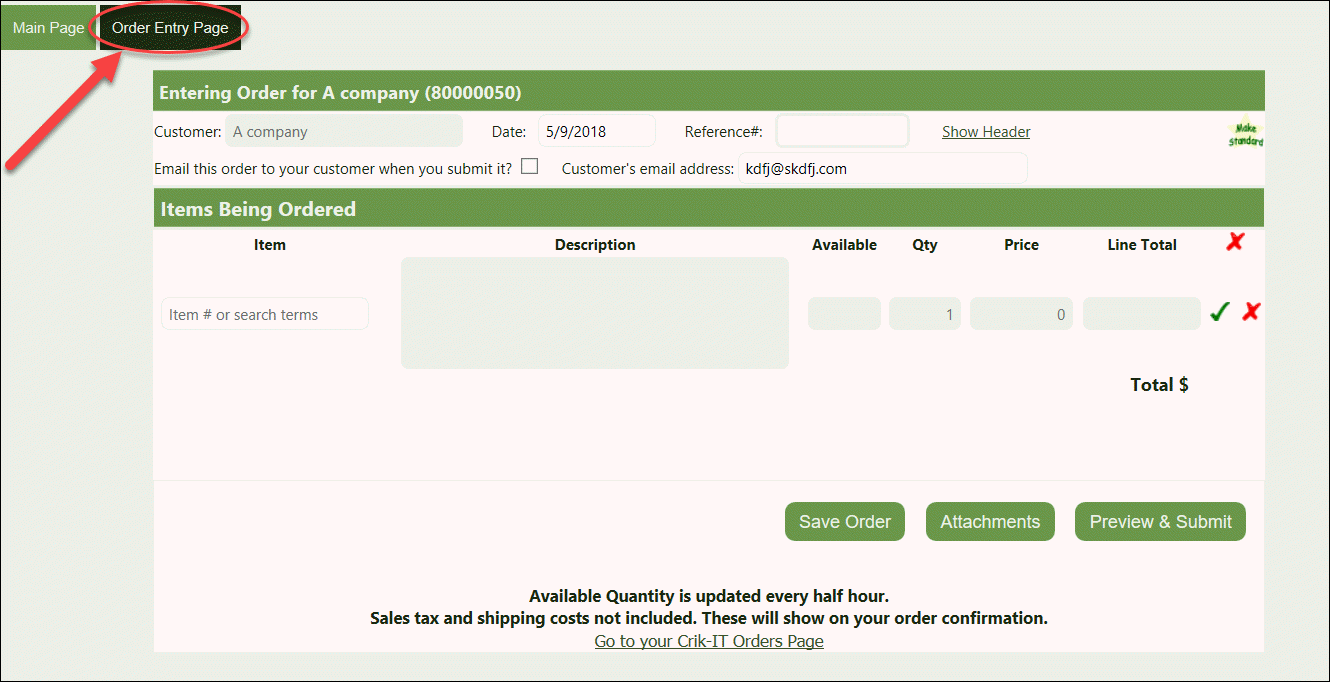
If this is what your screen looks like, click here.