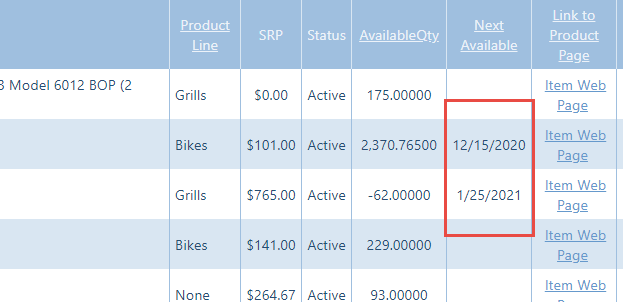
We can configure Crik-IT to show when you expect to next have inventory available on your inventory pages in Crik-IT, like this:
First, create a ticket or email us at support@crik-it.com asking us to turn this feature on for you. (There is no extra charge for this feature.)
Then, you'll have to tell QuickBooks desktop what the next available date is for whichever items should show this information.
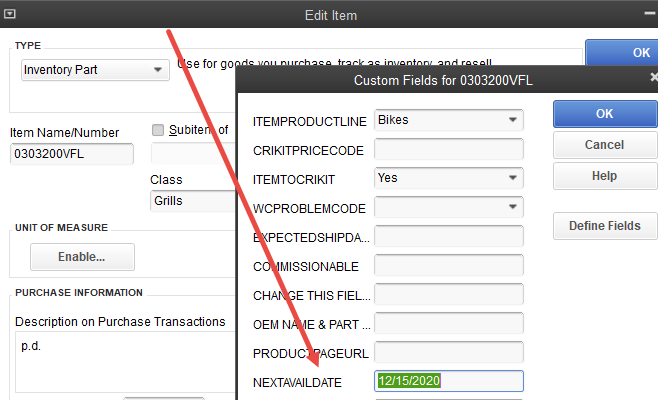
First, create a custom field called NextAvailDate on items in QuickBooks. If your version of QuickBooks allows you to specify a field type, make this a date field.
Then, for each item for which you want Crik-IT to show a next available date, go to the item in QuickBooks, click on Custom Fields, and enter the date in the NextAvailDate custom field.
The next time Crik-IT syncs your QuickBooks data, the next available date will show on the inventory grids that shows on the Crik-IT main page, and on the customer details page.
Questions? Create a ticket or email us at support@crik-it.com.