In the QuickBooks Online customer notes field, enter "Type:CustomerType." (no quotes, end with period), where "CustomerType" is the customer type. So, if you categorize customers by wholesale versus retail, for your wholesale customers, you would enter "Type:Wholesale." in the notes field. For your retail customers, you would enter "Type:Retail." in the notes field.
The next time Crik-IT syncs (15 to 30 minutes), the customer type will appear in Crik-IT.
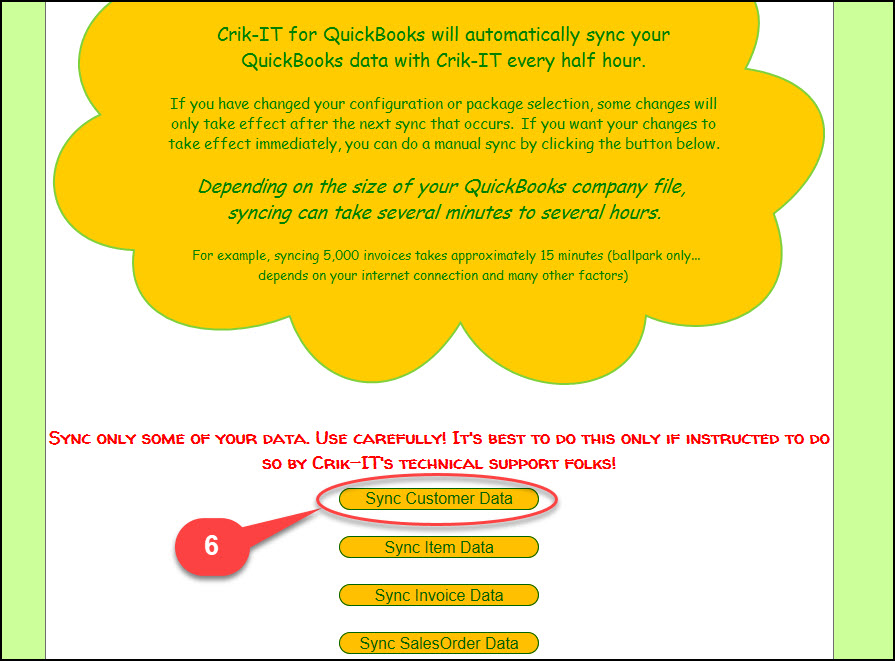
If you don't want to wait, you can manually sync your customer data:
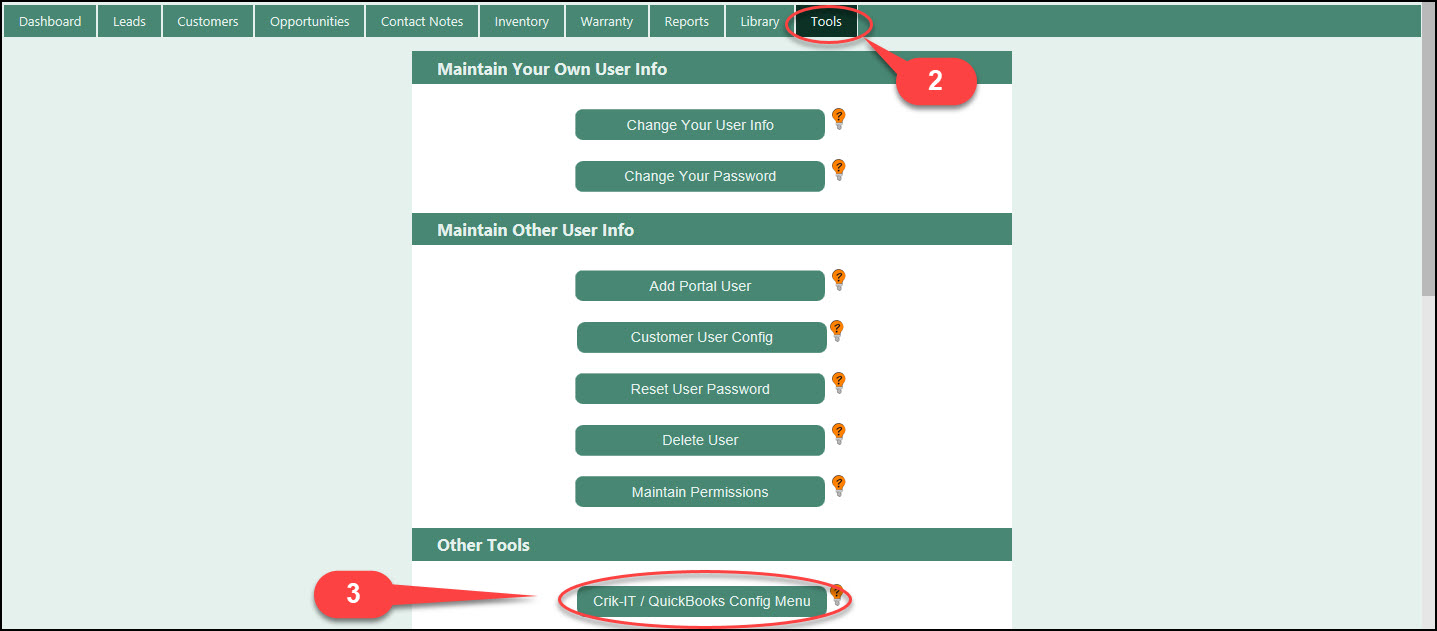
- Log into Crik-IT as a Crik-IT Administrator
- Go to the Tools tab
- Click on the Crik-IT / QuickBooks Config Menu
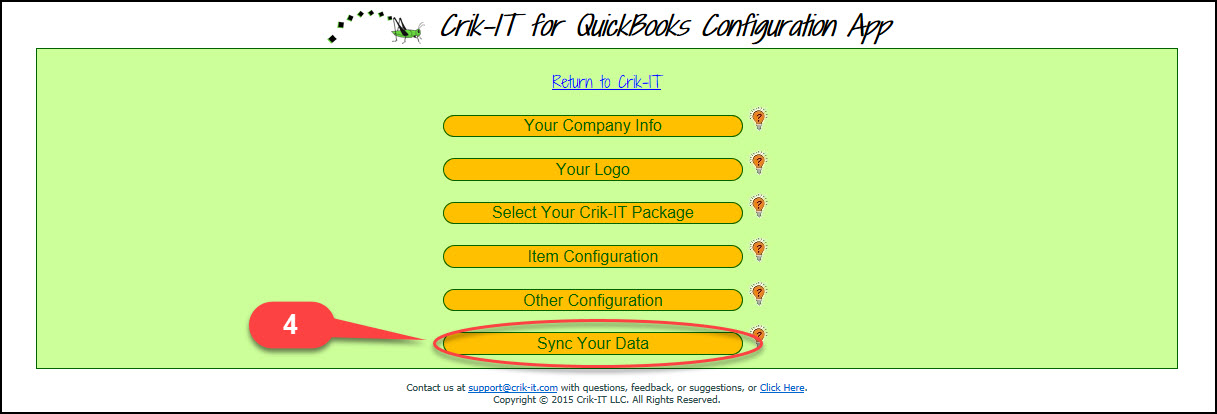
- Click on the Sync Your Data button
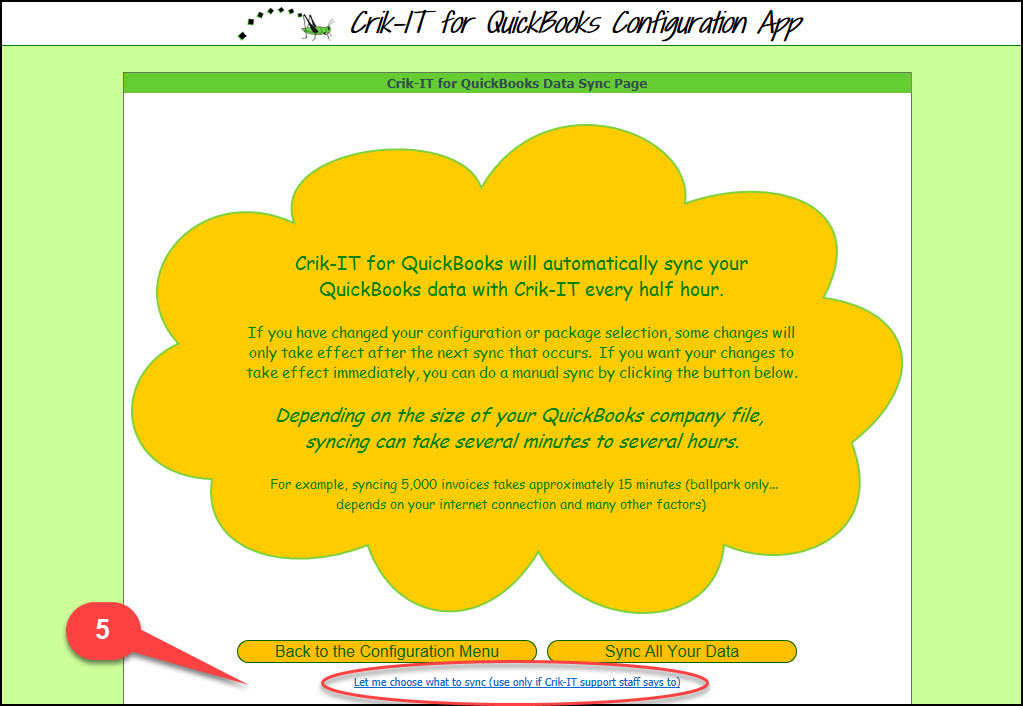
- Click Let me choose what to sync
- Click Sync Customer Data
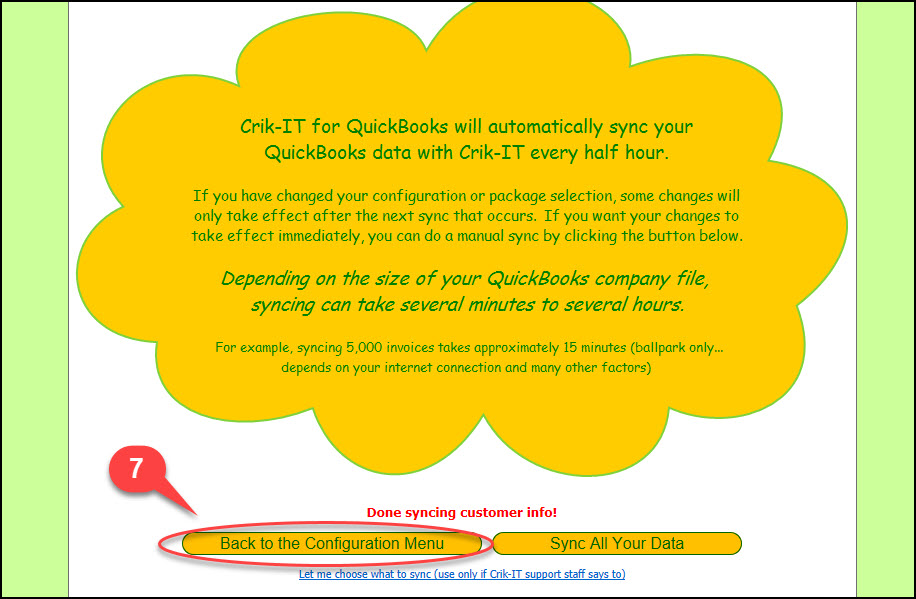
- When the sync is done, click on the button to return to the Config Menu, then click the link at the top of the page to return to Crik-IT.