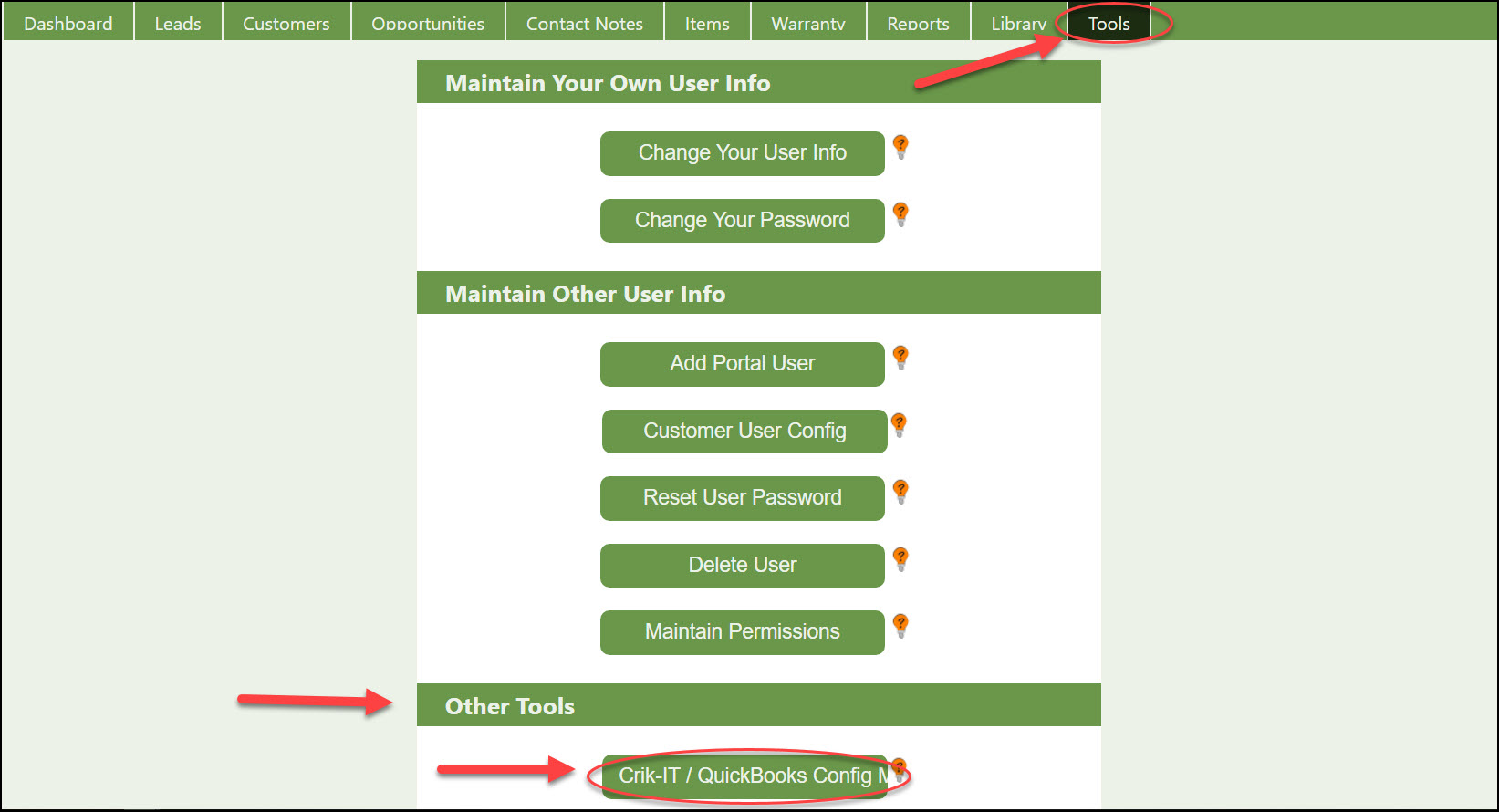
To use Product Lines in Crik-IT, log into your Crik-IT portal as a Crik-IT administrator and click tools tab. Then under Other Tools, click Crik-IT / QuickBooks Config Menu. On next page click Item Configuration.
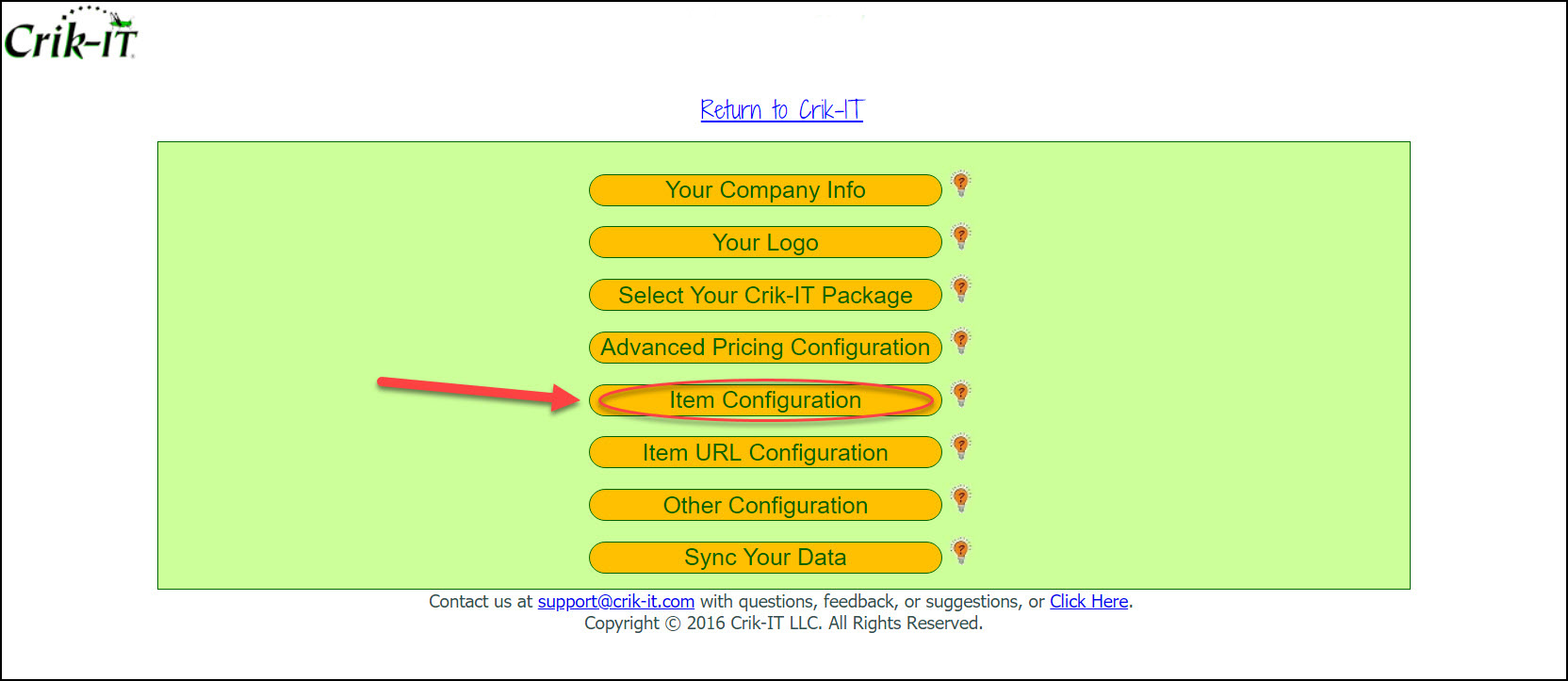
From the Item Configuration page, scroll down to the Product Line Configuration section
If you want to use Product Lines in Crik-IT, check the "We use product lines in our business" checkbox.
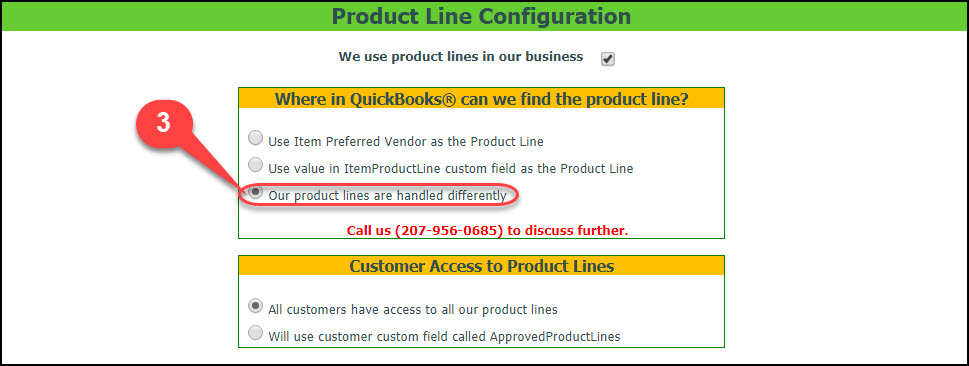
Now you have to tell Crik-IT what to use as the product line.
1) The first option will use the Preferred Vendor name from the QuickBooks item as the product line.
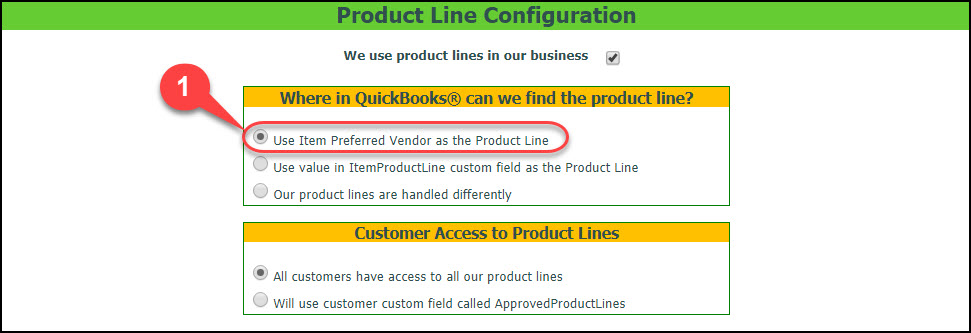
2) The second option will look for a custom field on the QuickBooks item called ItemProductLine and will use the value from that custom field as the product line. If you want to use this option, set up a custom field on your QuickBooks items called ItemProductLine and assign your items to a product line.
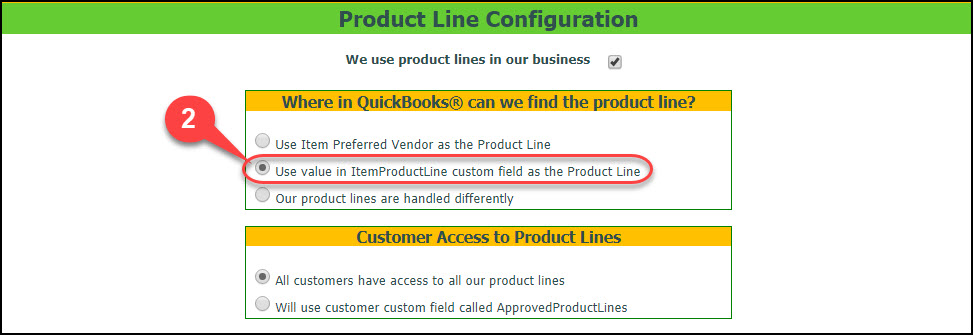
3) The third option is rarely used. Some subscribers have special logic required which usually requires custom modifications. Call us if you have special Product Line requirements.
Finally, you can limit which product lines specific customers have access to. See this help article for more information on that.