Yes!
First, create a ticket or email us at support@crik-it.com asking us to turn this feature on for you. (There is no extra charge for this feature)
Then, you'll have to tell QuickBooks Online what the next available date is for whichever items should show this information. To do this, go to your Products and Services list in QuickBooks Online. Edit the item(s) you want to show the Next Available Date for.
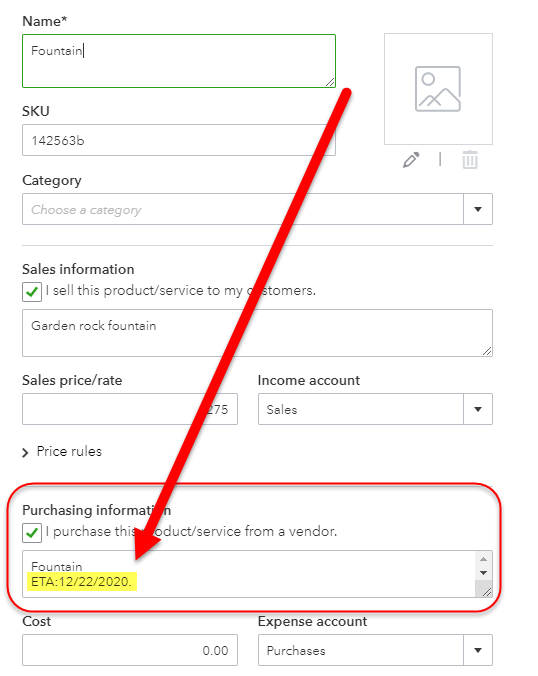
Somewhere in the Purchasing Information Description on purchase forms area, type "ETA:" then the next available date, in MM/DD/YYYY format, followed by a period. Take a look at the screenshot below to see an example.
The next time Crik-IT syncs your QuickBooks data, the next available date should show on the Inventory page that shows on the Crik-IT main page.
Questions? Create a ticket or email us at support@crik-it.com.