Notes:
- Only an In-House user can configure payment settings.
- To require payment when an order is submitted, the customer must be set up as a Crik-IT user (even if your reps or in-house users will be entering the orders on behalf of your customer).
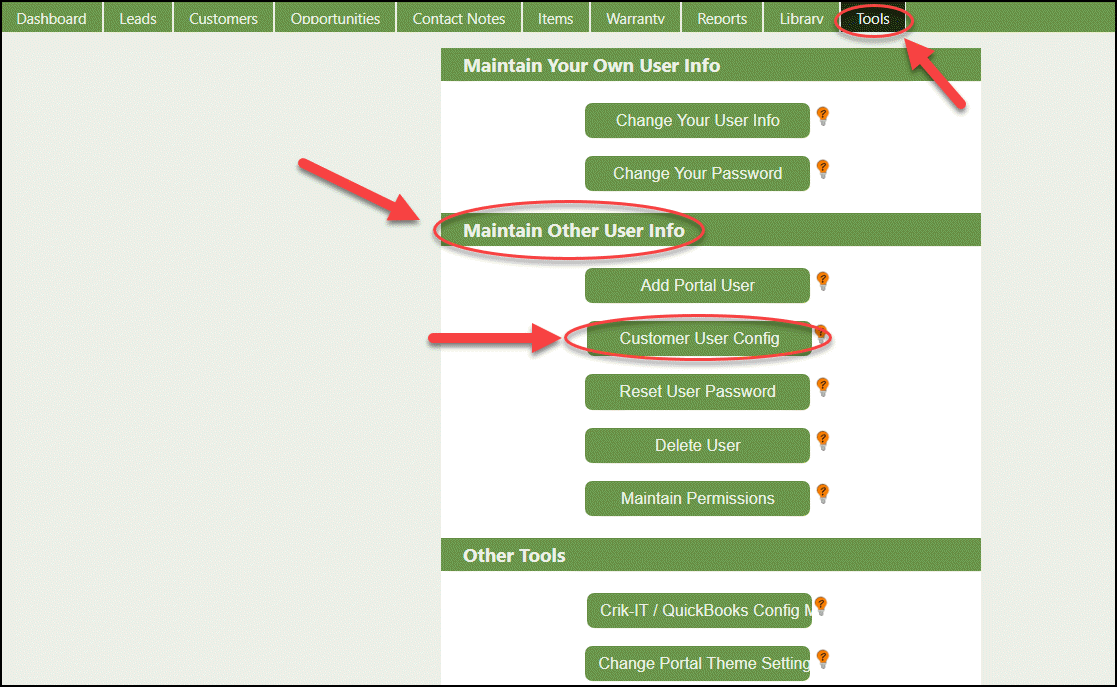
From the portal main page, click on the Tools tab and under Maintain Other User click the Customer User Config button:
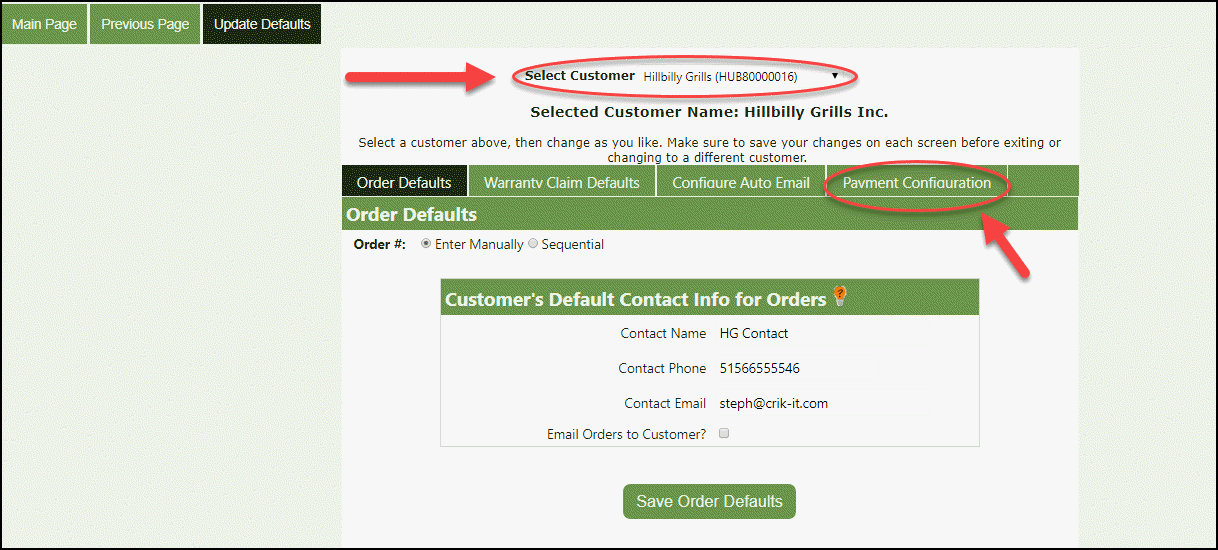
From the Update Defaults page, Select Customer, then go to the Payment Configuration tab:
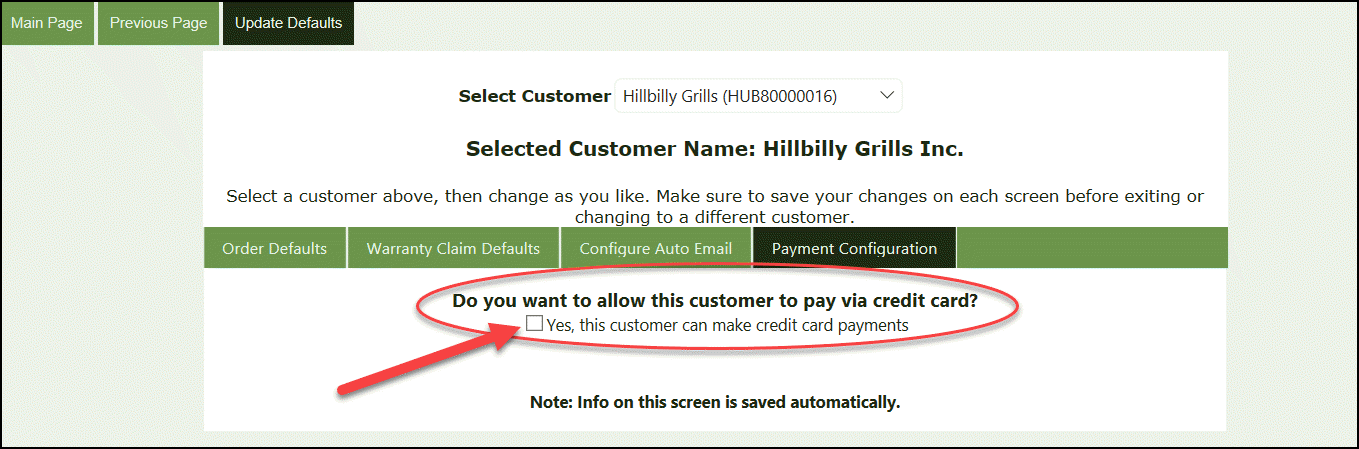
If you want to require this customer to pay for an order when submitting the order, check the box under Do you want to allow this customer to pay via credit card?
Now you have two additional questions:
A. The first option is whether you want to give the customer the option to pay open invoices with a credit card. If so, go ahead and check this.
B. The second option is whether you want to require the customer to pay the order total when submitting an order. When this is selected, payment must be made when submitting a new order.
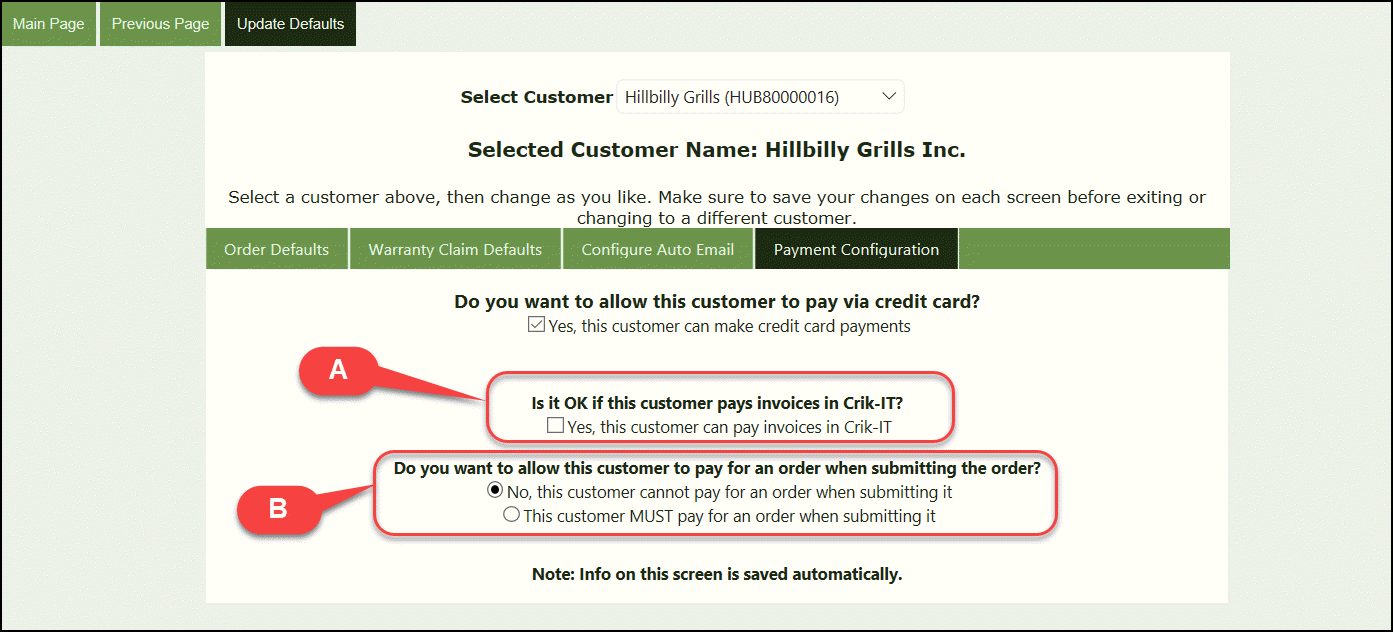
Note at the bottom of this page, information on this screen is saved automatically. You do not have to click a Save button on this screen.