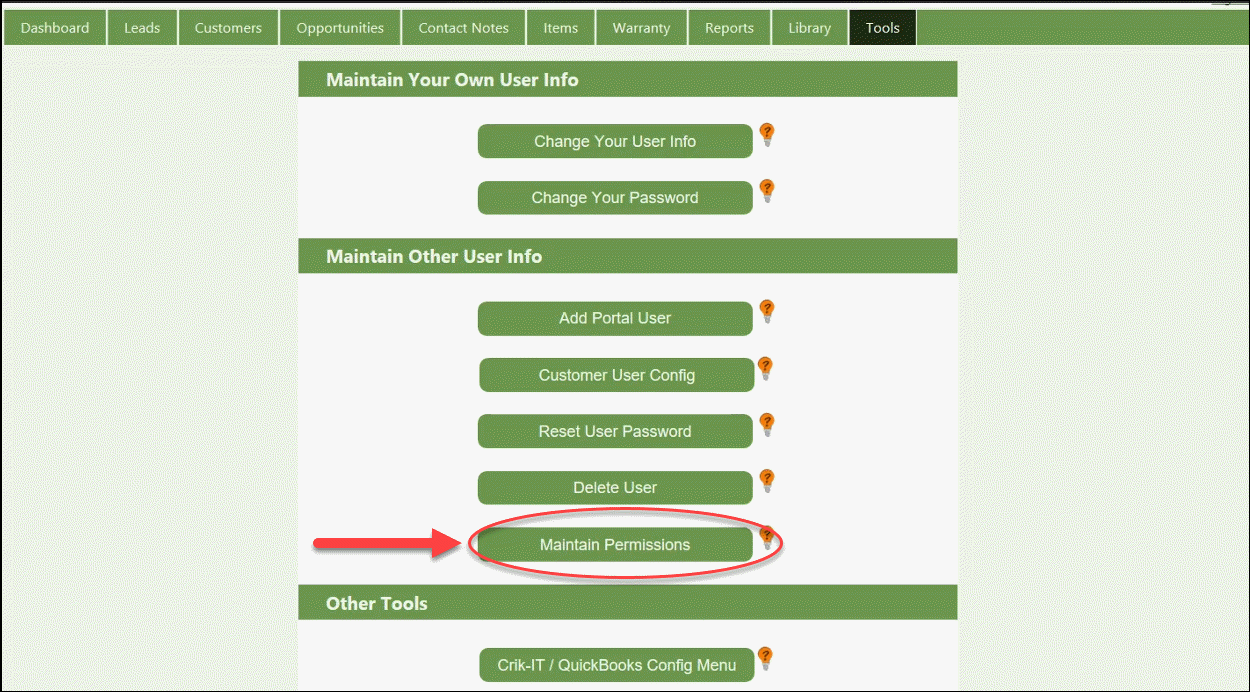
Login to Crik-IT as an in-house user, then click on the Tools tab.
Under the Maintain Other User Info section, click Maintain Permissions.
-
Note: If there is no Maintain Permissions button, then you are unable to continue and you must contact your company's Crik-IT administrator.
Now, click on the Maintain Permissions button:
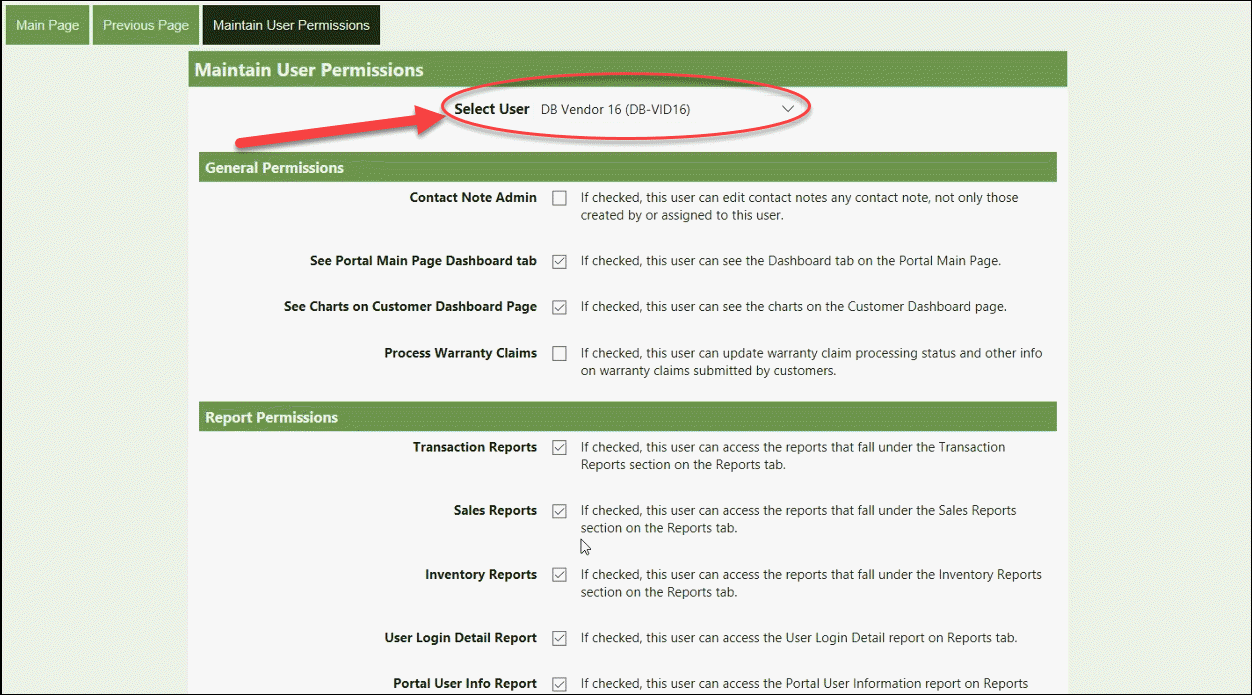
Next to Select User, click the drop-down arrow and select the user you want to give Stripe Credit Card Administrative permission to. This must be an in-house user.
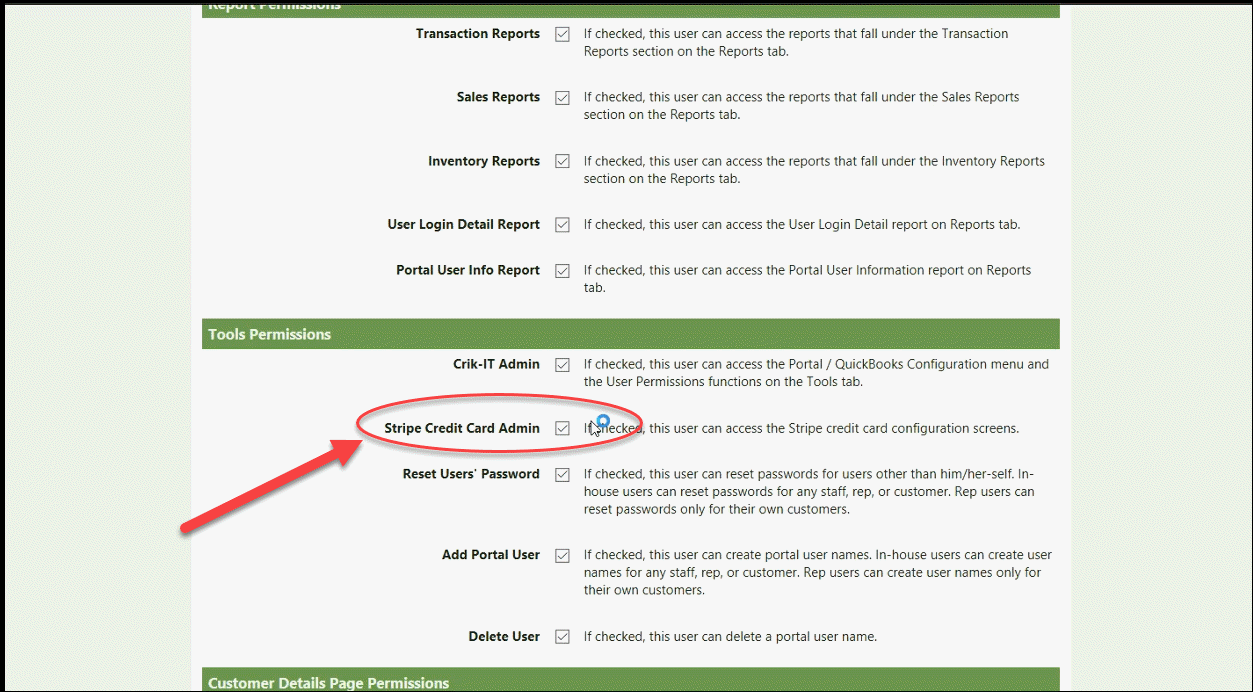
Under the Tools Permissions section, check the box next to Stripe Payment Configuration:
That's it! To return to the main page, click the Previous Page button at the top of the page.