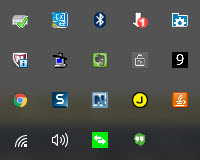
An area on the right side of the Taskbar (bar that is typically along the bottom of the screen) on the Windows interface used to display the status of various functions, such as speaker volume, battery status, etc.. Applications, such as CISM, also insert icons on the System Tray to give you a quick entrance into either the application itself or some auxiliary function.
Here are a couple of examples.
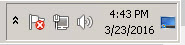

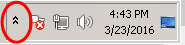
When there are many icons, they are hidden. But they can be seen by clicking the up arrow on the left side of the system tray, circled below.

Here is a sample of a system tray once expanded by clicking the up arrow: